EasyMatch QC - HunterLab
EasyMatch QC offers unprecedented flexibility to collect, display, and analyze color data from your spectrophotometer with multiple configurable views and compr
Get a Quote Color Quality Control Software
EasyMatch QC offers unprecedented flexibility to collect, display, and analyze color data from your spectrophotometer. This sophisticated yet easy-to-use software can be configured to show only the information you want, offering almost limitless possibilities for presenting and comparing your color information.
Key Features
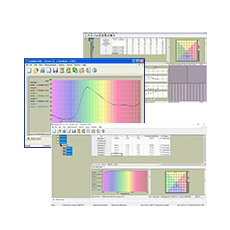
Color data and spectral data is displayed numerically in spreadsheet form or graphically as color plots, spectral plots and trend plots. The simplified EZ View screen only shows data for the standard and the last sample measured and, if desired, Pass/Fail. Color Render visually simulates the color on your computer screen.
Job Management
EasyMatch QC uses job files to easily store and recall data. Jobs can be created for your individual customers or products and each job can include individual or multiple standards. An unlimited number of samples can be associated with each standard, so you are able to maintain a history of your process over time. User-configured screens can be stored as a template and later recalled for easy creation of new jobs.
Electronic Record Keeping
EasyMatch QC is available with Electronic Record Keeping capability. This version of the software protects and maintains complete and accurate records, limits system access, performs authority checks, provides a computer-generated audit trail and includes electronic signature. It meets the software requirements for 21 CFR Part 11 compliance.
Multiple Language Support
EasyMatch QC is available in Chinese, English, French, German, Portuguese, Italian, Japanese, Russian and Spanish languages and is compliant with all current Microsoft operating systems.
Technical Specifications
Observers: 2° and 10°
Illuminants: A, C, D50, D55, D65, D75, F2, F7, F11, TL84, Ultralume 3000
Difference Indices: dE (Hunter), dC (Hunter), dE* (CIE), dC* (CIE), dH* (CIE), dL CMC, dC CMC, dH CMC, dE CMC, dL (CIE94), dC (CIE94), dH (CIE94), dE (CIE94), dL (DIN99), dC (DIN99), dH (DIN99), dE (DIN99), dL (CIE2000), dC (CIE2000), dH (CIE2000), dE (CIE2000), dE FMCII, dL FMCII, dRG FMCII, dYB (FMCII), dE Rdab, dC Rdab, Metamerism Index, Gray Scale (ISO 105-A05.2), Gray Scale (ISO 105-A04), Average Strength, Weighted Strength
Instrument Compatibility: UltraScan PRO, UltraScan VIS, UltraScan XE, LabScan XE, ColorQuest XE, ColorQuest XT, ColorQuest 45/0 LAV, ColorFlex EZ, MiniScan XE Plus, MiniScan EZ
Operating Systems: Windows 7 (32+64 bit), Windows 8/8.1 (64 bit), Windows 10 (64 bit), all Ultimate or Professional editions
Processor: 1.0 GHz or faster, 32-bit (x86) or 64-bit (x64)
RAM: Minimum 4 GB (more recommended)
Hard Drive: Minimum 120 GB; 256 GB recommended
Additional Requirements: Multiple COM ports including USB/Serial port for sensor and USB port for software license key
Documents & Downloads
Frequently Asked Questions
What is EasyMatch QC used for?
Which instruments are compatible with EasyMatch QC?
What are the system requirements for EasyMatch QC?
Does EasyMatch QC support multiple languages?
Is EasyMatch QC compliant with regulatory requirements?
How does EasyMatch QC handle data management?
Request a quote for EasyMatch QC - HunterLab
Fill out the form, give us a call or send an email and we will contact you as soon as possible.