OptoSCAN - Optomet
Optomet OptoSCAN: control, acquisition and analysis software for scanning laser Doppler vibrometers, with 2D maps and 3D animated vibration profiles. From Cromocol.
Get a Quote Product Description
OptoSCAN is the software for controlling, acquiring, visualizing and analyzing measurements made with Optomet scanning laser Doppler vibrometers. In combination with a scanning vibrometer it forms a complete system for imaging vibration measurements. The software combines point-by-point scanning data with geometry information to animate the vibrations and surface waves of a test object.
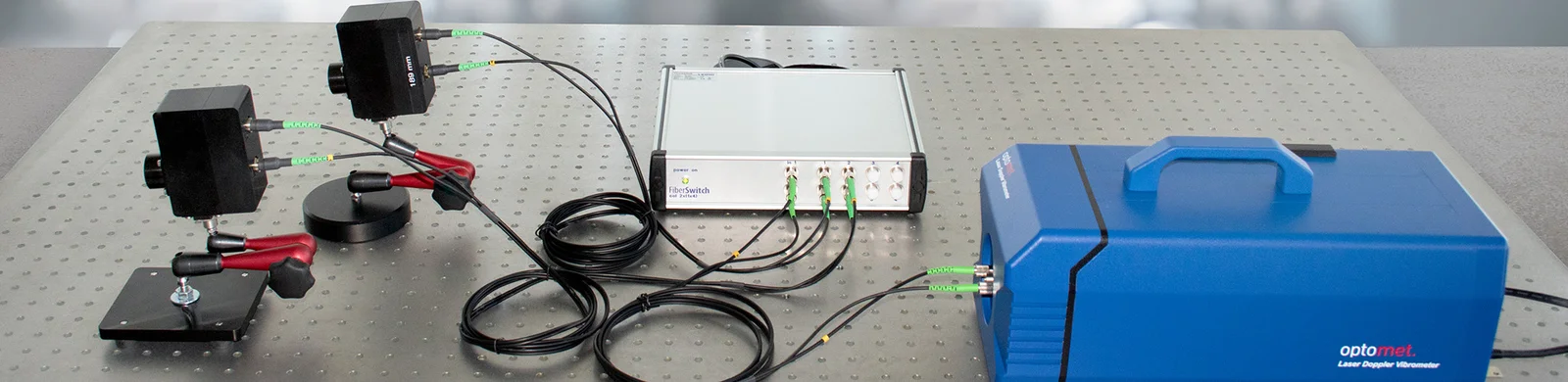
From the software the user configures the connected hardware, including video camera calibration, the measurement laser, the decoder and measurement range settings, the definition of measurement and reference signal channels, and the integrated signal generator. A measurement grid is created over the geometry of the test object, and parameters such as measurement duration, bandwidth, frequency resolution and per-point quality requirements are defined before the scan is run. During scanning, each grid point is measured in turn and progress is shown with color-coded grid points.
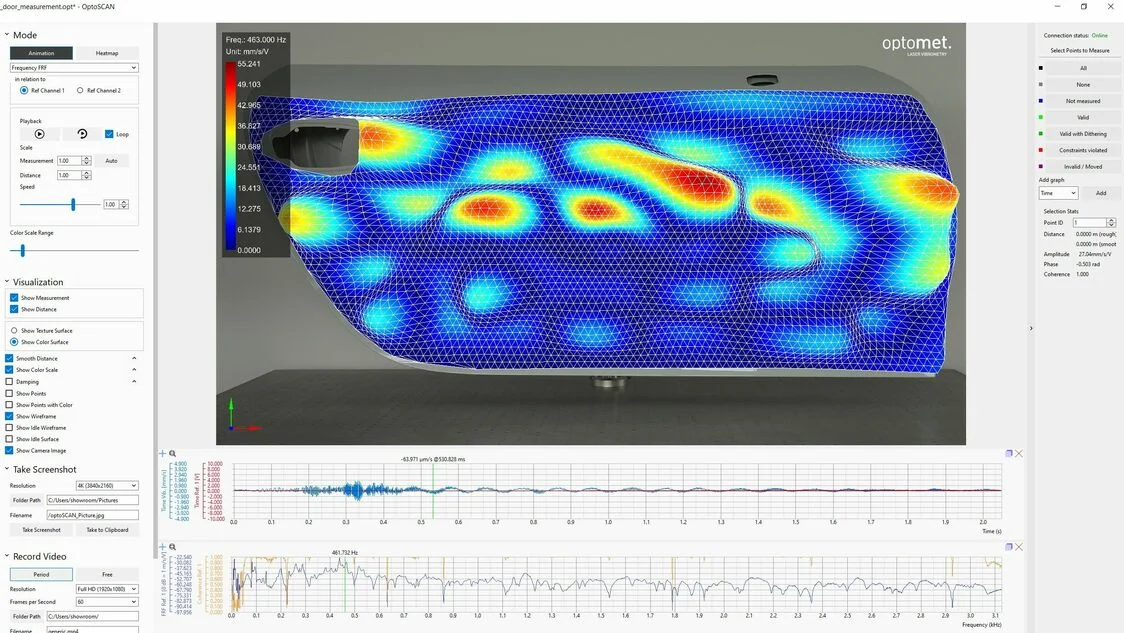
Results are displayed as diagrams, two-dimensional maps and three-dimensional animated time profiles, with real-time visualization during the scan. Both time-domain and frequency-domain quantities are available, supporting resonance identification, transfer functions, vibration mode visualization and wave propagation analysis. A desktop version allows offline processing of recorded projects, with integrated video creation tools for reporting; projects are stored with all settings preserved, and data can be exported in an open file format compatible with MATLAB and other third-party software.
OptoSCAN is a 64-bit multithreaded application that runs on Windows 10 and standard PC hardware. It is used in design optimization, structural analysis, finite element (FE) model validation and fundamental research.
Specifications
- Control, acquisition, visualization and analysis software for Optomet scanning laser Doppler vibrometers
- Hardware control: video camera calibration, measurement laser, decoder and measurement range, signal channels, integrated signal generator
- Measurement grid creation for complex geometries; definable duration, bandwidth, frequency resolution and per-point quality
- Visualization as diagrams, 2D maps and 3D animated time profiles, in time and frequency domains
- Offline processing via desktop version with integrated video creation tools
- Open file format export, compatible with MATLAB and third-party software
- 64-bit multithreaded application; Windows 10; standard PC hardware
Technical Specifications
- Type: control, data acquisition, visualization and analysis software for scanning laser Doppler vibrometers
- Operating mode: point-by-point scanning combined with geometry information
- Use: imaging vibration measurements, animation of vibrations and surface waves, FE model validation
- Video camera calibration
- Measurement laser settings
- Decoder and measurement range configuration
- Measurement and reference signal channel definition
- Integrated signal generator control
- Creation and editing of measurement grids for complex geometries
- Definable measurement duration, bandwidth and frequency resolution
- Configurable quality requirements per point
- Color-coded scan progress indication per grid point
- Display formats: diagrams, 2D maps, 3D animated time profiles
- Real-time visualization during scanning
- Time-domain and frequency-domain quantities
- Resonance identification, transfer functions, vibration modes and wave propagation
- Offline processing via desktop version
- Integrated video creation tools for reporting
- Project storage with all settings preserved
- Open file format export, compatible with MATLAB and third-party software
- 64-bit multithreaded application
- Operating system: Windows 10
- Runs on standard PC hardware
Frequently Asked Questions
What is OptoSCAN?
How does a scanning measurement work in OptoSCAN?
What hardware settings does OptoSCAN control?
How are results displayed?
Can data be processed offline and exported?
What are the system requirements?
Request a quote for OptoSCAN - Optomet
Fill out the form, give us a call or send an email and we will contact you as soon as possible.